
Published by INIA.
Start with one concern, not all five modes. Use conductive gel with LIFT or TIGHTEN, water-based skincare with INFUSE+, completely dry skin with A-SHOT, and clean skin with COOL. Begin at Level 1 and follow the routine track that matches what you want to address.
Table of Contents
See SPHERA in Use
Watch the hand movements
TJ Tutorials demonstrates the controls, gliding motions, and the different feel of the modes. Use the current INIA instructions below for product, frequency, and safety guidance.
The video description includes affiliate links and a discount code; the creator may earn a commission.
Before Your First Session
Charge the device, remove makeup and oil, and decide which one concern you want to focus on. SPHERA turns on in LIFT mode: hold the Power/Mode button for 1.5 seconds, tap it to move through the modes, and use the intensity button to change levels. COOL has one fixed level; the other modes have Levels 1–5.
Do the sensitivity test
On the clean inner arm, use LIFT with conductive gel—or INFUSE+ with a water-based product—at Level 1 for three minutes. Wipe the area and watch it for at least six hours.
Start at Level 1
A higher setting is not the goal. Increase only after you understand how pulsing, tingling, warmth, or cooling feels on your skin.
Choose one track
Pick contour, fine-line and firming, or pore-appearance care. The official routines do not ask you to perform all five modes in one session.
What Should Be on Your Skin?
This is the part to check every time you change modes. SPHERA does not use one product for all five steps.

Conductive gel
Apply a generous, even layer so the treatment head can glide and maintain comfortable contact. Do not use either mode on bare, dry skin.
Water-based skincare
Apply a water-based serum, essence, or cream before the mode. This is the finishing step in each official routine track.
Nothing
Skin must be clean and completely dry. Do not apply gel, serum, cream, or oil first.
Clean skin
Skincare is optional. If COOL follows LIFT or TIGHTEN, remove the remaining conductive gel first.
Use a conductive gel intended for beauty devices rather than a DIY mix. The INIA instructions do not approve adding salt or other household ingredients to change conductivity.
Choose the Routine That Matches Your Concern
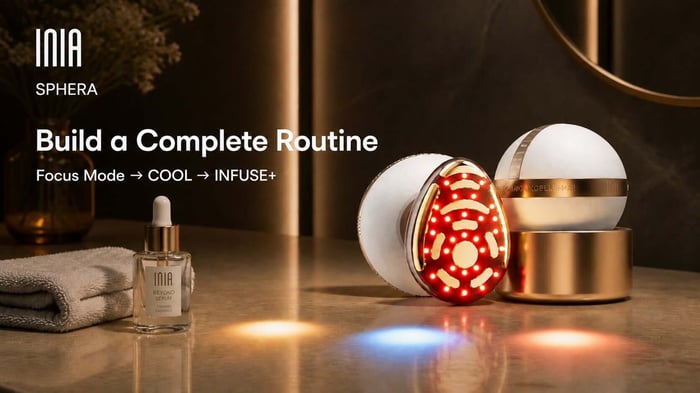
Think of the first mode as the focus step. COOL follows as a soothing finish, and INFUSE+ pairs the routine with your water-based skincare. Each mode runs for five minutes.
For a more lifted-looking contour
LIFT → COOL → INFUSE+
Use conductive gel for LIFT and glide upward along the jawline and cheeks. Remove the gel before COOL, then apply water-based skincare for INFUSE+.
For fine lines and firmer-looking skin
TIGHTEN → COOL → INFUSE+
Use conductive gel for TIGHTEN and move slowly upward over the cheeks and forehead. Follow with COOL, then water-based skincare and INFUSE+.
For pore and texture appearance
A-SHOT → COOL → INFUSE+
Begin on completely dry skin. Hover A-SHOT about 5 mm above the skin and sweep gently—never press the head flat. Follow with COOL, then INFUSE+.
What the Five SPHERA Modes Mean in Practice
Choose it when: the cheeks, jawline, or lower face are your main contour concern.
Expect: pulsing, vibration, and possible visible muscle movement. Keep the contact head flat over conductive gel and glide upward and outward.
Choose it when: visible fine lines or loss of firmness are the priority.
Expect: prickling and gradually deeper warmth. Use conductive gel, maintain full contact, and glide slowly upward over the treatment area.
Choose it when: you are ready to finish with a water-based serum, essence, or cream.
Expect: mild tingling and vibration. The timer pauses if the contacts lift away, so keep the head flat and gliding.
Choose it when: pore appearance and uneven-looking texture are the focus.
Expect: fine tingling from the micro-arcs. A temporary ozone-like or faint singed smell near fine facial hairs can occur. Keep the head about 5 mm above clean, dry skin.
Choose it when: you want a cool, soothing step after your focus mode.
Expect: noticeable cooling at the treatment head. The device body may feel warm while it releases heat; that is different from the cooling surface.
What Is Normal—and When Should You Stop?
Expected sensations
- Pulsing, vibration, or muscle movement in LIFT
- Prickling and warmth in TIGHTEN
- Mild tingling and vibration in INFUSE+
- Fine tingling and a brief ozone-like smell in A-SHOT
- Cooling at the treatment head in COOL
Stop and reassess
- Pain or a sharp sensation you cannot make comfortable at Level 1
- Burning rather than expected warmth
- Redness, swelling, itching, or another abnormal reaction
- A sharp or uneven sensation that continues after lowering the intensity and checking that enough gel is present
Stop use if your skin reacts abnormally and follow the manual's medical guidance. Do not use the device over the thyroid area, eyeballs or upper eyelids, open wounds, active rash, eczema, psoriasis, or inflamed skin.
Choose One Concern and Start at Level 1
The easiest way to use SPHERA correctly is to make one decision first: contour, fine-line and firming care, or pore appearance. That choice tells you which focus mode to use, what belongs on your skin, and how often the official routine is designed to fit into your week.
Still deciding whether the device adds something useful to your routine? Read our INIA SPHERA review.
Choosing between INIA's two handheld routines? Compare INIA SPHERA vs. FLARE.
Explore INIA SPHERAFrequently Asked Questions
Can I use any gel with INIA SPHERA?
Use a conductive gel intended for beauty devices with LIFT and TIGHTEN. The current instructions do not approve DIY conductivity boosters such as added salt. INFUSE+ uses water-based skincare instead; A-SHOT uses no product.
Can I use a single SPHERA mode by itself?
The controls let you select a mode directly, but the current official frequency guidance is organized into three tracks: LIFT, TIGHTEN, or A-SHOT followed by COOL and INFUSE+. It does not provide a separate approved frequency for every mode used alone or tell users to stack all five. Follow the current manual or ask INIA Support before creating a different schedule.
Should A-SHOT touch my skin?
No. Use A-SHOT on clean, completely dry skin and hover the head about 5 mm above the surface while sweeping gently. Do not apply pressure or press the head flat.
Why does the timer pause when I lift the device?
In LIFT, TIGHTEN, and INFUSE+, the skin-contact sensor pauses the five-minute timer when the contacts leave your skin. The timer resumes when full contact returns.
Can I use INIA SPHERA every day?
Do not assume every mode is a daily treatment. The official contour and fine-line/firming tracks are listed for 3–4 uses per week; the pore-appearance track is listed for 1–2 uses per week. Follow the current instructions for the track you choose.
Can I use SPHERA on my neck or upper eyelids?
Do not use it over the thyroid area at the front midline of the neck, the eyeballs, or the upper eyelids. The current manual also excludes the chest and any open, inflamed, or actively irritated skin.